
Partner Icon
Become a Refrens PartnerLearn More

Free Delivery Note Template for Saudi Arabia: Word, Excel, English and Arabic

Download a delivery note template in Word or Excel, in English or Arabic. Or make a delivery note online in SAR and send it to your customer by email or WhatsApp.

Our Users Rate Refrens ⭐ 4.8/5 based on 11700+ Ratings
Free Delivery Note Template

Download Free Delivery Note Templates in Word and Excel

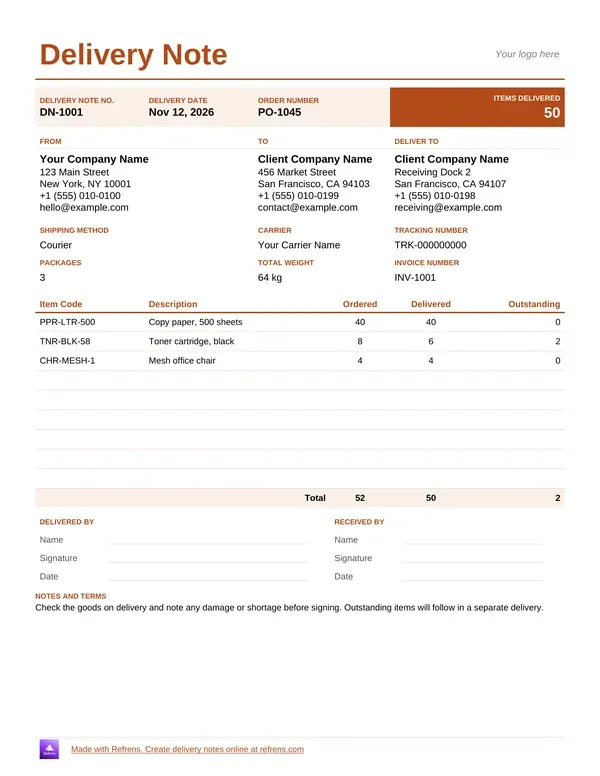
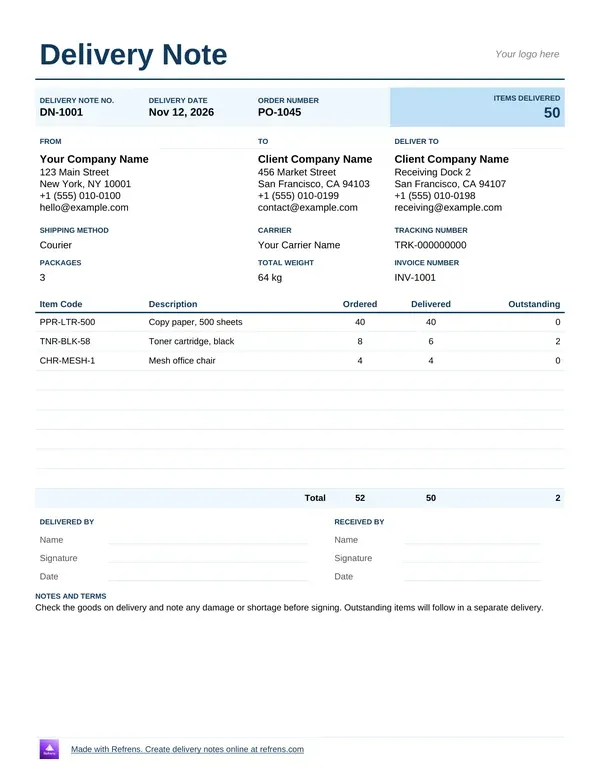
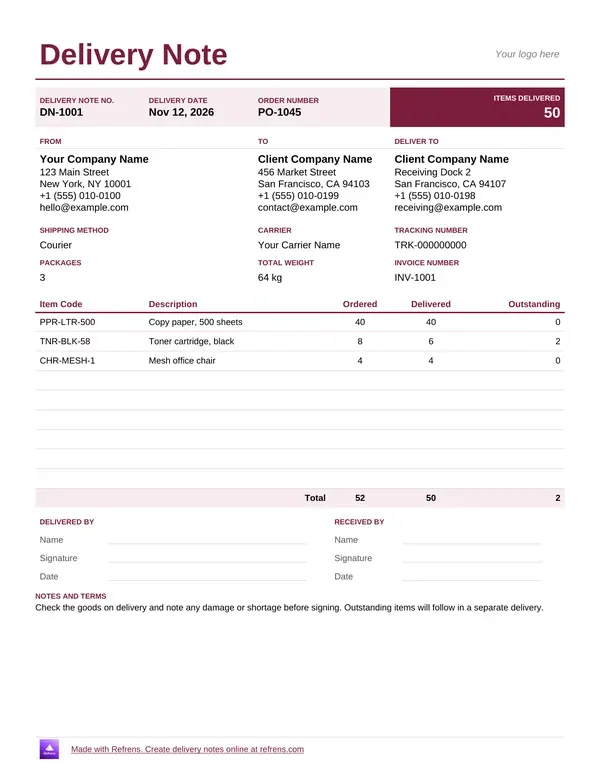
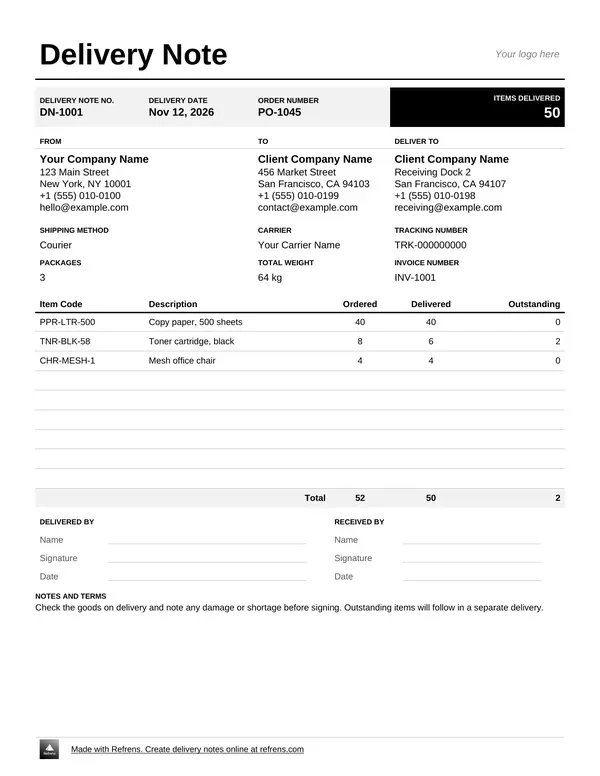
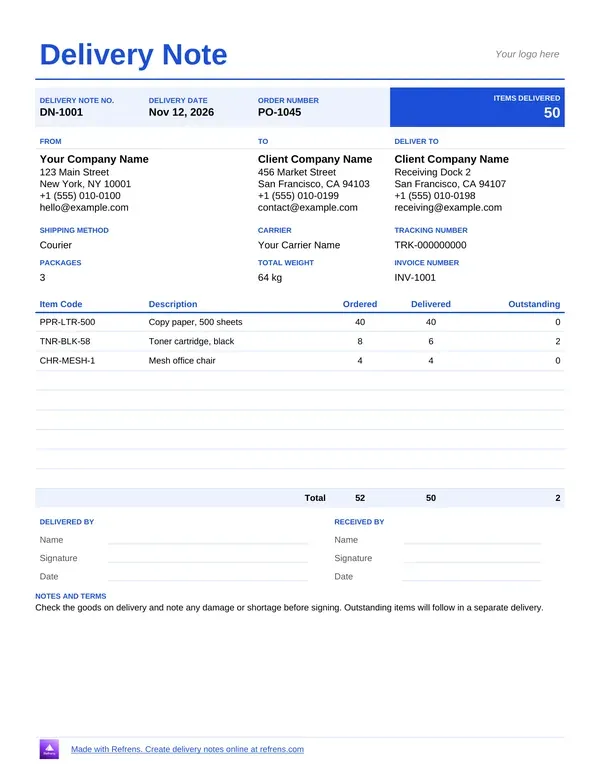
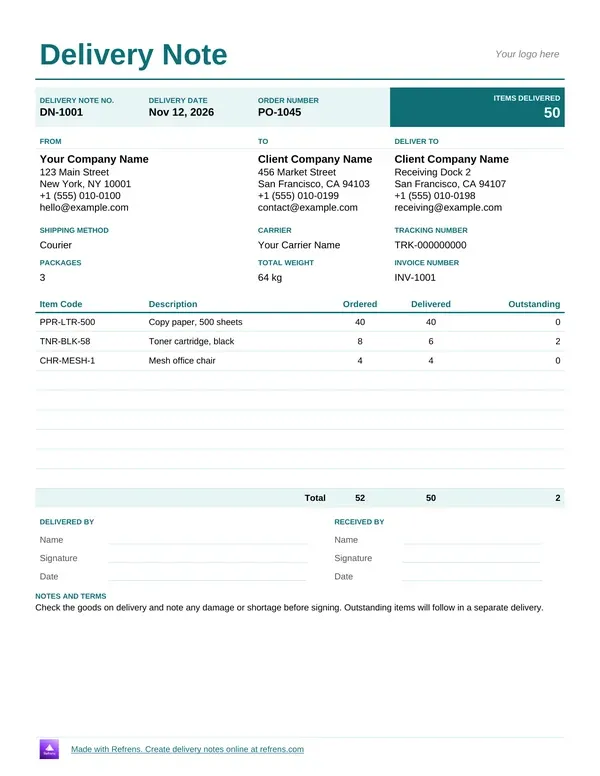
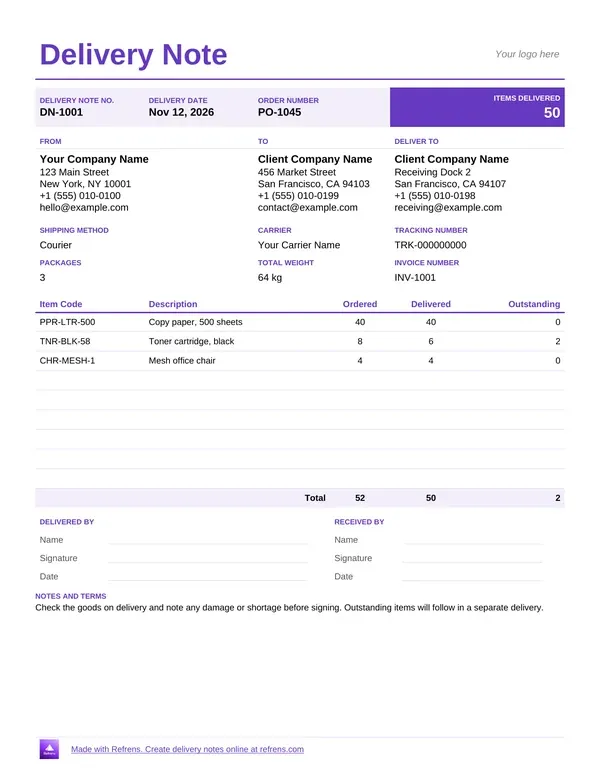
Pick a colour, preview the template, and download it as an editable Word (.docx) or Excel (.xlsx) file.

Delivery Note Format (Fill and download it in PDF format.)

1
Delivery Challan Details
2
Design & Share (optional)
1
Delivery Challan Details
2
Design & Share (optional)

Sample Delivery Note Template Word

Download Delivery Note Format Word
Create Free Delivery Note Online
delivery challan format
Delivery Note Template Word
Delivery Note Format Word 2
Delivery Note Format 3
Delivery Note Format Word

Sample Delivery Note Format Excel

Download Delivery Note Format Excel
Delivery Note Template Excel Online
Delivery Note Template Excel
Delivery Note Format Excel
Sample Delivery Note Template Excel
Delivery Note Sample Format Excel

Delivery Note Templates Saudi Arabia

A delivery note lists the goods you hand to a customer, with the quantities and the delivery date. The customer signs to confirm receipt. A delivery note template gets that record on paper in minutes. It works while you make a few deliveries a week. It stops working when deliveries come in parts and invoices fall behind. This page gives you Word and Excel files in English and Arabic, a Saudi format, a worked SAR example with 15% VAT, and answers to the tax questions suppliers ask.

Which Delivery Note Template Should You Use?

Pick the file that matches how you edit and who reads the note.

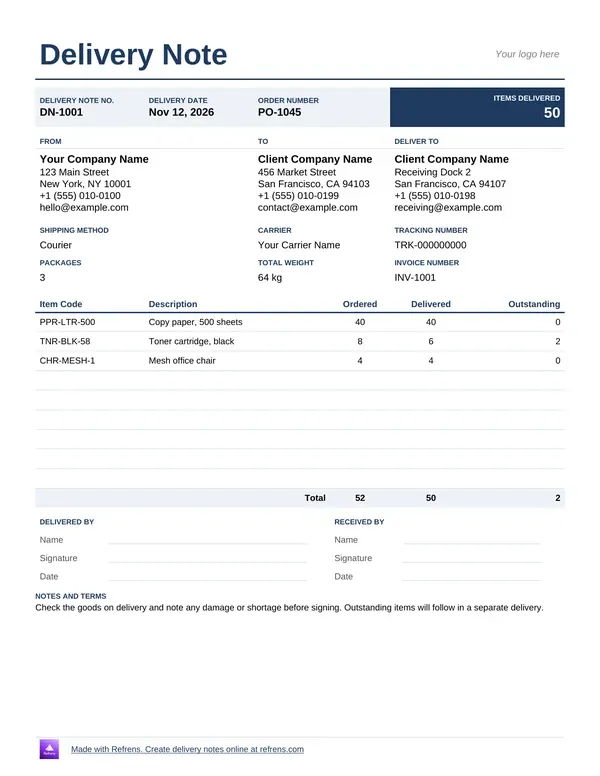
  • Word (English): a designed note with room for terms and remarks.
  • Excel (English): many lines, with ordered, delivered and remaining quantities in columns.
  • Word or Excel (Arabic): a customer, driver or site team that works in Arabic.
  • Google Docs or Google Sheets: edit in your browser and share a PDF.
  • Create online: numbering, sharing and an invoice that starts from the note.

What Is a Delivery Note?

A delivery note is a supplier's record of the goods it delivered. It names the items and quantities, the delivery date and the receiver. A delivery note is not a tax invoice.

Quotation, Purchase Order, Delivery Note and Tax Invoice

Four documents run in a fixed order, and each side issues different ones.

You issue the quotation, the delivery note and the tax invoice. The customer issues the purchase order.

Delivery Note, Dispatch Note, Goods Receipt Note and Proof of Delivery

Teams use these four terms for related papers, and the names overlap.

  • Delivery note: the supplier's list of what it handed over.
  • Dispatch note: the same list when the goods leave your warehouse. Many suppliers use one document for both.
  • Goods receipt note: the customer's own record of what arrived. It is an inbound document.
  • Proof of delivery: the signed copy of the delivery note.

Pick one name for your business and use it on every document.

Delivery Note Format for Saudi Arabia: What to Include

We found no format that Saudi law prescribes for a delivery note. The fields below are good practice. Each one prevents a mistake.

  • Supplier name, address and contact. The customer knows who delivered.
  • Your CR number, and your VAT number if you are VAT registered. You link the note to your tax invoice.
  • Customer name, delivery address and contact. The note shows where the goods went, which matters when a customer has several sites.
  • The customer's VAT number, if the customer is VAT registered. Your tax invoice needs it later.
  • Delivery note number. Use your own series, such as DN-0001. A duplicate number makes two deliveries look like one.
  • Note date and delivery date. Write the delivery date in full: day, month and year. The delivery date is your VAT supply date for goods.
  • Order reference and the customer's PO number. The customer matches your note to the order.
  • Items. Item code, description and unit.
  • Ordered, delivered and accepted quantity. A short or damaged delivery shows on the note. The remaining quantity shows what you still owe.
  • Condition remarks. The receiver writes "4 boxes broken" before signing. That line settles the dispute early.
  • Vehicle and driver details. Add them if you deliver with your own fleet or a carrier.
  • Receiver name, signature, date and, if your customer uses one, a company stamp. The signature turns the note into proof of receipt.
  • Terms. One short block. See the sample wording below.

Prices and VAT are optional on a delivery note. If you show them, label the document "Delivery note, not a tax invoice". A note with prices and VAT can look like a tax invoice, and your customer may file it as one.

Delivery Note Template in Word and Excel

Use Word when the note is mostly text. Use Excel when it has many lines.

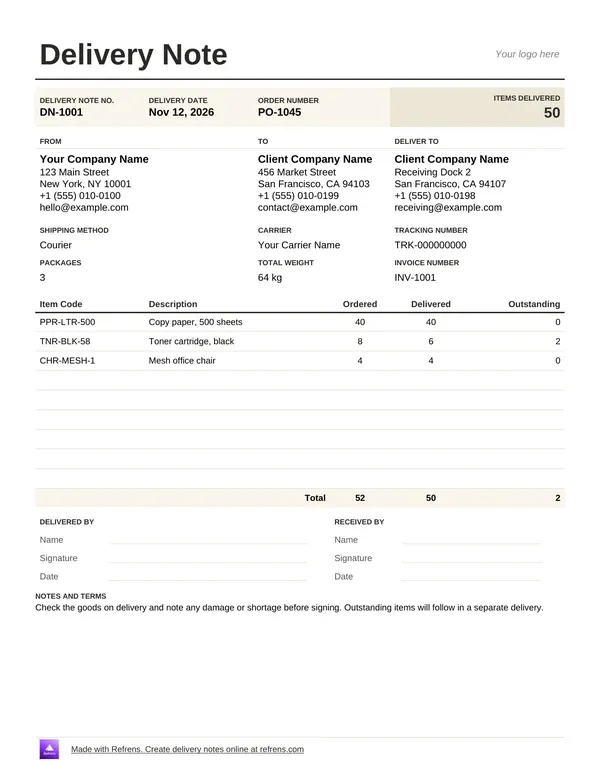
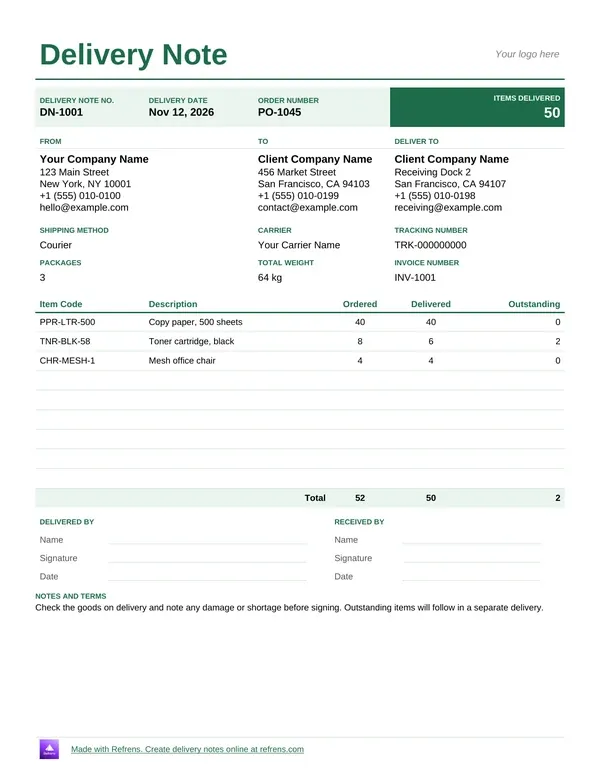
Delivery Note Format in Word

Word suits a designed note with remarks, terms and a signature block. Totals do not calculate unless you build the formula. Send a PDF so nobody edits the quantities after the receiver signs.

Delivery Note Format in Excel

Excel suits notes with many lines and several delivery stages. Add four columns: ordered, delivered, accepted and remaining. Then use formulas so the sheet does the arithmetic.

  • Remaining quantity: =C2-E2, where column C holds the ordered quantity and column E holds the accepted quantity.
  • Total accepted quantity: =SUM(E2:E20).
  • Line value, only if you show prices: =E2*F2, where F is the unit price.
  • Lock the formula cells before you share the file.

Keep one file per delivery. Name each file with the note number.

Delivery Note Format in Google Docs and Google Sheets

Open the link, make a copy in your Google account and edit the copy. Share it as a PDF, not as a link, so the quantities stay fixed after signing.

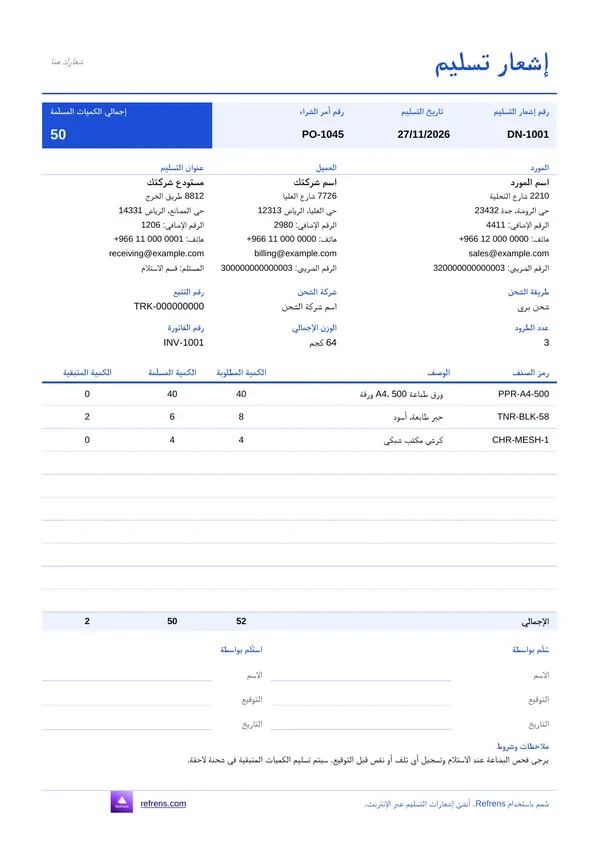
Delivery Note in Arabic: Files and Terms

The Arabic Word and Excel files serve a customer, a driver or a site team that works in Arabic. Download the Arabic Word file for a printed note and the Arabic Excel file for many lines.

Saudi teams often write the English term in Arabic letters: دليفري نوت. The formal terms vary, and your customer decides which one it uses.

  • دليفري نوت: the English "delivery note" in Arabic letters.
  • إشعار التسليم: delivery notice or delivery note.
  • سند التسليم: delivery voucher.
  • إذن التسليم: a delivery or release order.
  • محضر استلام وتسليم: a handover and receipt minute, common on projects.
  • نموذج استلام بضاعة: a goods receipt form, the customer's inbound record.

Use the term your customer uses on the document, and keep the English term next to it on a bilingual note. We found no Saudi rule that requires Arabic on a commercial delivery note. Your tax invoice follows its own rules.

How to Make a Delivery Note Step by Step

Five steps take you from the order to a signed note.

  1. Confirm the order. Check the customer's PO number, items and quantities.
  2. Check the goods. Count what leaves your warehouse against the order.
  3. Fill in the format. Enter the ordered and delivered quantities, the delivery date and the delivery address.
  4. Get the signature. The receiver counts the goods and writes any shortage or damage on the note before signing.
  5. Keep a copy and invoice. File the signed note with the order. Then issue the tax invoice.

Package Delivery Notes for Parcels and Couriers

A parcel delivery note adds the package count, the weight, the carrier and the tracking number. The receiver signs for the number of packages, not for what is inside. Open a sealed package in front of the receiver if the contents matter.

Delivery Note Generator vs Template

A template is a file you edit and save yourself. A delivery note generator numbers the note, saves it, shares it and starts your invoice from it. Use a template for a few notes. Use a generator when you deliver every week.

Sample Delivery Note With 15% VAT

This example shows a short delivery with a damaged item and two invoicing paths. It is an illustration, not a real customer.

A Riyadh building materials trader supplies a contractor with a site in Riyadh. Both are VAT registered. Prices are before VAT, and VAT is 15%.

The customer's order:

  • Floor tiles: 200 boxes at SAR 85, SAR 17,000.
  • Tile adhesive: 50 bags at SAR 32, SAR 1,600.
  • Subtotal SAR 18,600. VAT SAR 2,790. Total SAR 21,390.

Delivery note 1, 3 Nov 2026. The trader ships 180 boxes of tiles and 50 bags of adhesive. The site engineer finds 4 broken boxes. He writes that on the note and signs. The customer accepts 176 boxes and 50 bags.

  • Tiles accepted: 176 boxes at SAR 85, SAR 14,960.
  • Adhesive accepted: 50 bags at SAR 32, SAR 1,600.
  • Subtotal SAR 16,560. VAT SAR 2,484. Total SAR 19,044.
  • Remaining on the order: 24 boxes. That is 20 not shipped and 4 to replace.

Delivery note 2, 17 Nov 2026. The trader delivers the 24 boxes: SAR 2,040. VAT SAR 306. Total SAR 2,346. Both deliveries add up to the order: SAR 18,600, VAT SAR 2,790, total SAR 21,390.

The trader can invoice delivery 1 in two ways.

  • Before it issues the invoice. It invoices what the customer accepted: SAR 16,560 plus SAR 2,484 VAT, SAR 19,044. This is the cleaner path.
  • After it issues the invoice. It already invoiced the 180 boxes and 50 bags: SAR 16,900, VAT SAR 2,535, total SAR 19,435. It then issues a credit note for the 4 returned boxes: SAR 340, VAT SAR 51, total SAR 391. The net is SAR 19,044. The same result takes two documents.

Both deliveries happen in November, so the supply date is in November. The tax invoice is due by 15 Dec 2026. A delivery on 1 Dec would move the deadline to 15 Jan 2027. The delivery note is your evidence for that date.

Delivery Note Terms and Conditions: Sample Wording

A delivery note often carries a short terms block. Keep it to a few lines. These samples restate defaults in the Saudi Civil Transactions Law. Your lawyer should review any wording you use.

  • Inspection: "Check the goods against this note on delivery. Write any shortage or damage on this note before you sign."
  • Hidden defects: "Report a hidden defect to us in writing as soon as you find it."
  • Claim period: "Defect claims must reach us within 180 days of delivery unless a longer warranty applies."
  • Signature: "Your signature confirms you received the quantities and condition written on this note."
  • Ownership: "For sales with deferred payment, ownership passes to you when we receive full payment."

Each line maps to a default. The buyer inspects as soon as possible and reports defects within a reasonable period. Defect claims lapse after 180 days from delivery. Quantity claims lapse after one year. A seller can make ownership conditional on full payment in a deferred sale. A term printed on a delivery note may not bind a buyer who never agreed to it, so agree key terms in the contract. This is general information, not legal advice.

Delivery Notes for Contractors, Wholesalers and Service Firms

Each business type needs a different field on the note.

Contractors and Project Sites

A site note needs a project reference, the site name and the site engineer's name and signature. Add a stamp if the site uses one. Note the work area or floor, so a dispute points to a place.

Wholesalers and Distributors

A distributor delivers many lines to many customers each week. Track ordered against delivered per line, and write back-order remarks on the note. Invoice the week's deliveries in one batch only if you can match each delivery to its customer and date.

Trading and Import Firms

A trading firm delivers goods it bought elsewhere. The note shows what left your warehouse. It does not prove an export. ZATCA lists export, commercial and transport documents, such as a bill of lading, as proof for a zero-rated export.

Service Firms and Agencies

A service firm hands over equipment, devices or printed deliverables. List the asset names and serial numbers, the handover date and the receiver's signature. The note settles who holds what.

A Delivery Note, VAT and ZATCA: What Changes for the Supplier

A delivery note is not a tax invoice, and the delivery date sets the supply date that starts your invoice clock. Four points follow.

  • The delivery date is the supply date for goods. ZATCA's guideline says the supply date for goods is generally the day you deliver them. Tax becomes due on the earliest of the supply date, the invoice date and the date you receive payment.
  • You issue the standard tax invoice within 15 days after the end of that month. A delivery on 3 Nov 2026 makes the invoice due by 15 Dec 2026.
  • A summary tax invoice can cover a month of deliveries. If you invoice the same customer regularly, one summary tax invoice can cover supplies in up to one calendar month. List each delivery date on it.
  • Your customer claims input VAT with your tax invoice. A delivery note does not support the claim.

ZATCA e-invoicing applies to the tax invoices you issue. Refrens supports ZATCA Phase 1 and Phase 2 for those invoices. See ZATCA e-invoicing software for how it works.

ZATCA announced Wave 25 on 24 Jul 2026. It targets taxpayers whose VAT-subject revenue passed SAR 187,500 in any year from 2022 to 2025. Integration is due by 1 Feb 2027, after ZATCA notifies the taxpayer.

When a Delivery Note Template Is the Right Choice

A template is the right choice when you deliver a few times a week and one person prepares and invoices every delivery.

  • You deliver by hand to a few customers who sign a paper copy.
  • You are starting out, and you deliver goods or equipment to a few clients.
  • A customer asks for a specific layout, or you add terms your lawyer drafted.
  • You need a quick printable note before you set up a system.
  • You are not VAT registered, so no supply date or invoice deadline applies to you.

When a Template Stops Being Enough

A template stops being enough when more people, deliveries or invoices touch the same order.

  • Several people raise delivery notes, and the numbers drift.
  • Deliveries arrive in parts, and one order needs several notes and several invoices.
  • You deliver every week and invoice in a batch at month end. You need to see which deliveries have no invoice yet, before the 15-day deadline runs out.
  • Customers reject or return goods, and each case needs a note and later a credit note.
  • You need the quantities and the delivery date to reach the tax invoice without retyping.
  • You need to find a signed note fast when a customer disputes quantities.
  • Project sites need a project reference, an engineer's name and a signature on each delivery.

Keep your invoices, records and stock in one place with cloud accounting software.

What Happens When You Invoice From a Delivery Note

After you deliver, you invoice the customer. There are three paths:

  • Your system imports the note. You import it, map the fields and check the lines.
  • Your system cannot import it. You type the customer, the items, the quantities and the delivery date into the invoice again.
  • You made the note in Refrens. You convert the note into a tax invoice, including after a part delivery. One delivery note can convert into more than one invoice.

The retyping happens with any tool that keeps the note outside your invoicing system. In the example above, delivery 1 has two lines. You retype both, plus the customer, the date and the PO number, and then you check them against a note in another file. A typo in a quantity lands on a ZATCA-cleared tax invoice. online billing software issues the invoice from the note.

Make a Delivery Note Online

You make a delivery note online by signing up and filling in the form. Your first 15 documents each year are free. The limit counts every document type on Refrens.

The online form covers what a file cannot:

  • Automatic numbering for each note.
  • Your logo, a signature, notes, terms and attachments.
  • Total quantity and total in words.
  • Sharing by email or WhatsApp.
  • Conversion into a tax invoice, including after a part delivery, and into more than one invoice from one note.

Convert the note when you invoice. Set the supply date on each invoice to the delivery date. If you also sell on quotes, quoting software turns a quote into an order and then a delivery.

Button: Create delivery note online

Tax and Legal Questions About Delivery Notes in Saudi Arabia

These answers are general information, not tax or legal advice. Confirm your own case with a tax adviser or a lawyer.

Is a delivery note a tax invoice in Saudi Arabia?

No. A delivery note records what you delivered. A tax invoice carries the VAT. ZATCA's guidelines treat the tax invoice, the simplified tax invoice and the debit and credit notes as the VAT documents. We found no ZATCA text that names a delivery note.

Does a delivery note need a ZATCA QR code or e-invoicing?

No. A delivery note is not a tax invoice, so it carries no ZATCA QR code and needs no clearance. The tax invoices you issue do follow ZATCA's e-invoicing rules.

Does the delivery date matter for VAT?

Yes. For goods, the supply date is generally the day you deliver them to the customer. Tax becomes due on the earliest of the supply date, the invoice issue date and the date you receive payment. ZATCA's Tax Invoicing Guideline sets this rule.

When must I issue the tax invoice after I deliver goods?

Issue a standard tax invoice within 15 days after the end of the month in which you delivered. A delivery on 3 Nov 2026 makes the invoice due by 15 Dec 2026. The Implementing Regulations of the VAT Law set the same deadline for a standard tax invoice, the 15th of the following month.

Can I issue one tax invoice for several deliveries?

Yes, in some cases. A supplier that invoices the same customer on a recurring basis can issue one summary tax invoice for supplies in up to one calendar month. List each delivery date on it. A summary invoice follows the same conditions as a standard tax invoice.

What happens if the customer rejects or returns goods?

If you accept the return after you issued the tax invoice, issue a credit note. If you have not invoiced yet, invoice what the customer accepted. The Implementing Regulations treat goods returned and accepted by the supplier as an adjustment to the supply. Ask your tax adviser for the credit note deadline that applies to you.

Can my customer claim input VAT with a delivery note?

No. A VAT-registered customer claims input VAT with your tax invoice, or customs documents for imports. ZATCA accepts other commercial documents only at its discretion, and its input tax guideline does not name a delivery note.

How long should I keep delivery notes?

Keep each delivery note with the matching tax invoice. You must keep VAT records for at least six years from the end of the tax period. The Law of Commercial Books requires merchants to keep their books and documents for at least 10 years. None of these texts names delivery notes, so ask your accountant which period covers your supporting papers.

Does a signed delivery note prove delivery?

A signed delivery note is written evidence that the signer received the goods it lists. Saudi evidence law presumes a signed ordinary document comes from the signer unless the signer expressly denies it. An electronic signature made under the Electronic Transactions Law has the same effect as a handwritten one. Write quantities and condition on the note before the receiver signs, because we found no source that says a signature proves quantity or condition.

How long does a customer have to report a shortage or damaged goods?

The buyer inspects as soon as possible and reports defects within a reasonable period. The Civil Transactions Law sets outer limits: defect claims lapse 180 days from delivery, and claims for a quantity shortfall or surplus lapse one year from delivery. You and the customer can agree other periods, except where the seller hid a defect. Agree any shorter period in the contract. A line on the note alone may not bind the customer.

Can I keep ownership of the goods until the customer pays?

In a sale with deferred payment, the seller can make the transfer of ownership conditional on payment in full. Write the condition in the sales contract, and do not rely on a line printed on a delivery note alone. The seller can also keep possession of the goods until the buyer pays the price.

Does a delivery note need a stamp, a signature or Arabic text?

We found no Saudi rule that requires a company stamp, a signature or Arabic text on a commercial delivery note. A signature or stamp helps prove who received the goods. The Arabic rule in the Law of Commercial Books covers a merchant's books, not delivery notes. Your tax invoice follows its own rules.

Is a delivery note enough proof for a zero-rated export?

No. An exporter must show the goods left Saudi Arabia within 90 days. ZATCA's Imports and Exports Guideline lists export, commercial and transport documents, such as a bill of lading. It does not name a delivery note.

Frequently Asked Questions

Which delivery note template should I use, Word, Excel or Google Docs?

Use Word for a designed note with remarks and terms. Use Excel for many lines and ordered, delivered and remaining columns. Use Google Docs or Google Sheets to edit in a browser and share a PDF. Use the Arabic files when your customer works in Arabic.

Are the delivery note templates free?

Yes. The Word and Excel files are free to download and need no signup. Making a delivery note online needs a signup, and your first 15 documents each year are free.

Can I edit a delivery note template after I download it?

Yes. Edit the Word or Excel file on your computer, or make a copy of the Google file in your account. Share a PDF after the receiver signs, so nobody changes the quantities.

Can I make a delivery note in Arabic?

Yes. Download the Arabic Word or Excel file. Use the term your customer uses, and keep the English term next to it on a bilingual note.

How do I number a delivery note?

Use one series, such as DN-0001, DN-0002. Never reuse a number, and never start a second series in another file. The number is how you match a note to an order and an invoice. When you make the note online, Refrens numbers it for you.

What is the difference between a delivery note and an invoice?

A delivery note lists what you delivered. A tax invoice bills the customer and charges the VAT. The delivery date on your note is the supply date that sets the deadline for the tax invoice.

How do I send a delivery note to a customer?

Email the PDF or share it on WhatsApp. For a signed copy, ask the receiver to sign on paper and photograph it, or sign electronically. Online, you share the note by email or WhatsApp straight from Refrens.

What is the difference between a delivery note template and a delivery note generator?

A template is a file you edit and save yourself. A generator numbers the note, saves it, shares it and converts it into a tax invoice, including after a part delivery.

Start With the Right Delivery Note Template

Pick the delivery note template that fits your next delivery. When deliveries come in parts and invoices fall behind, make the note online instead. See what else Refrens offers Saudi businesses at Refrens Saudi Arabia.


Made with and in Bengaluru.

Refrens Internet Pvt. Ltd. | All Rights Reserved
This site is protected by reCAPTCHA and the Google Privacy Policy and Terms of Service apply.
Refrens ISO Certificate