
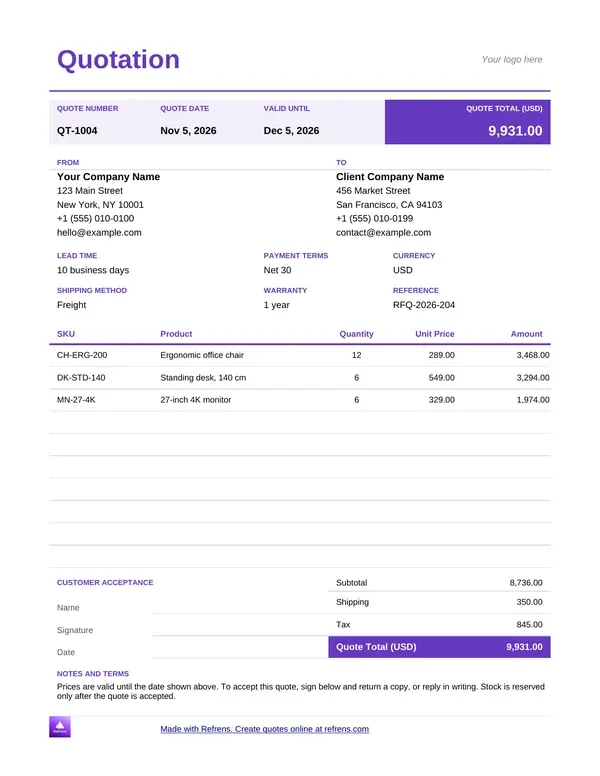
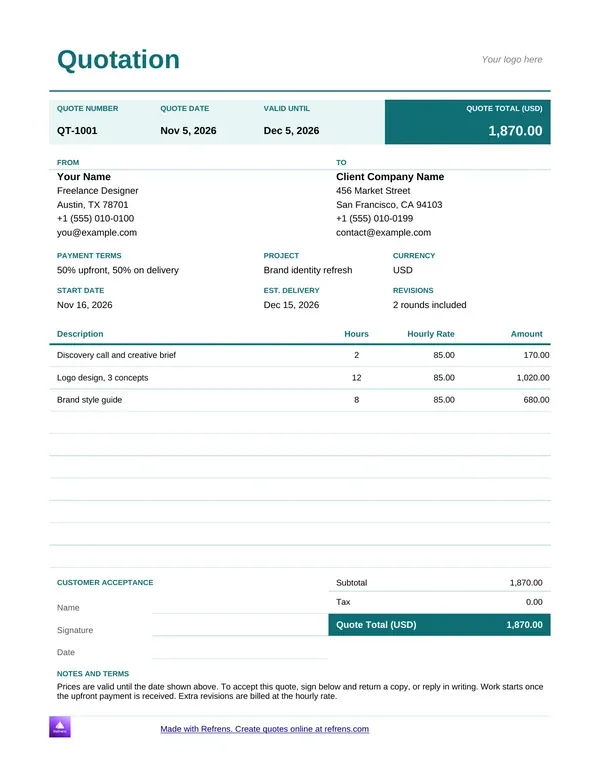
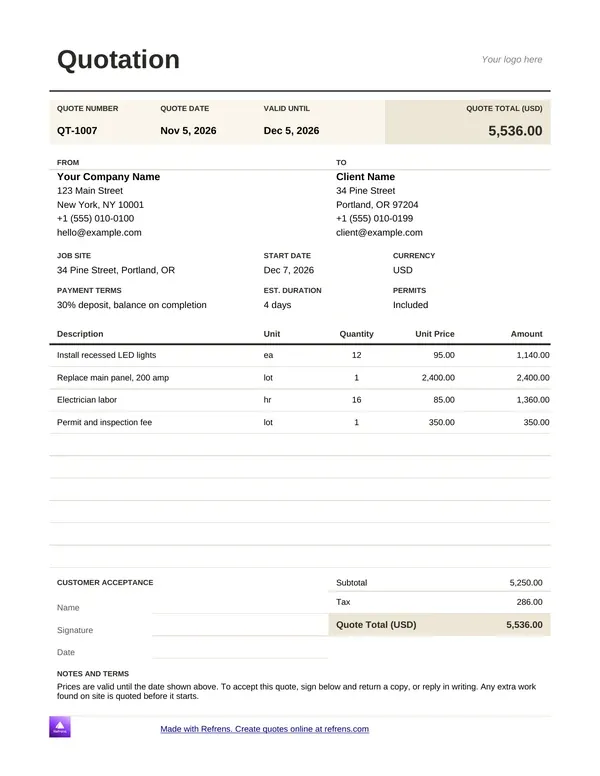
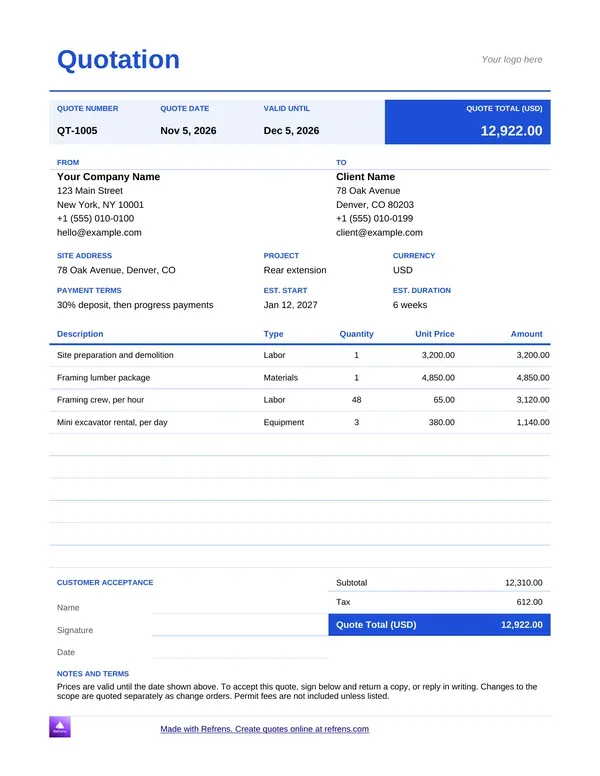
Partner Icon
Become a Refrens PartnerLearn More

Quotation Templates in Word and Excel for Saudi Arabia Businesses

Download a quotation template in Word, Excel, Google Docs or Google Sheets, in English or Arabic. Or make a quote online and turn it into a ZATCA tax invoice when the buyer accepts.

Our Users Rate Refrens ⭐ 4.8/5 based on 11700+ Ratings

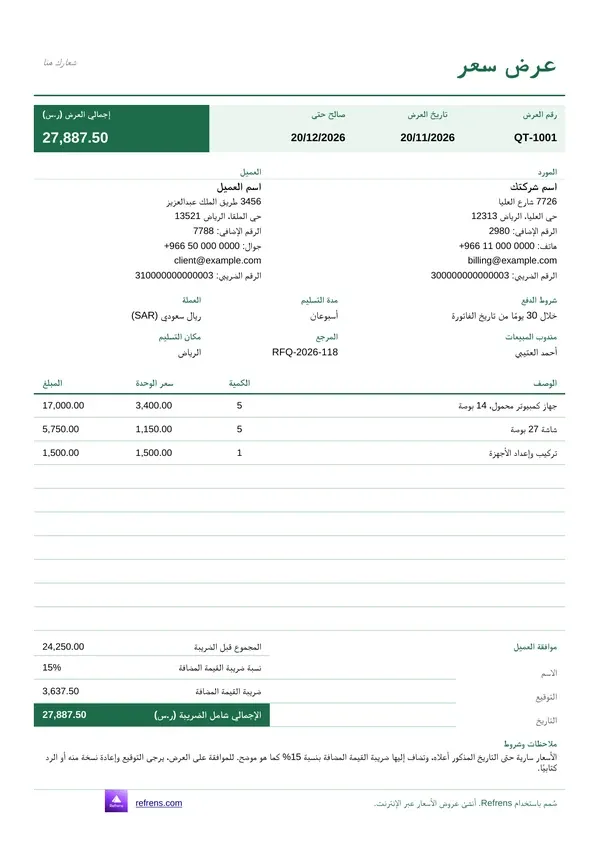
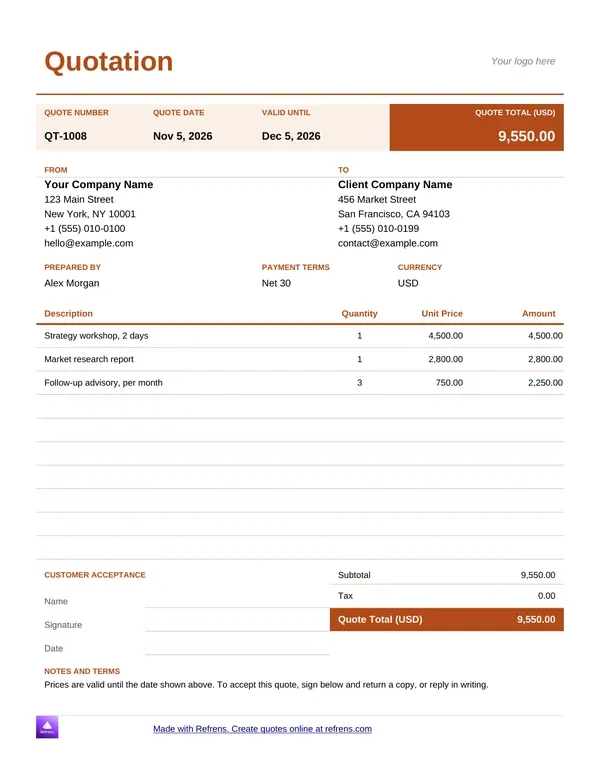
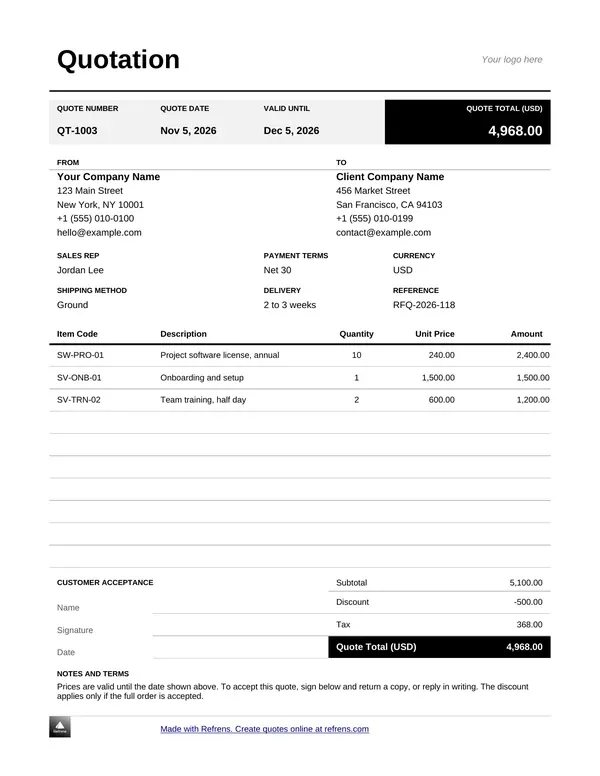
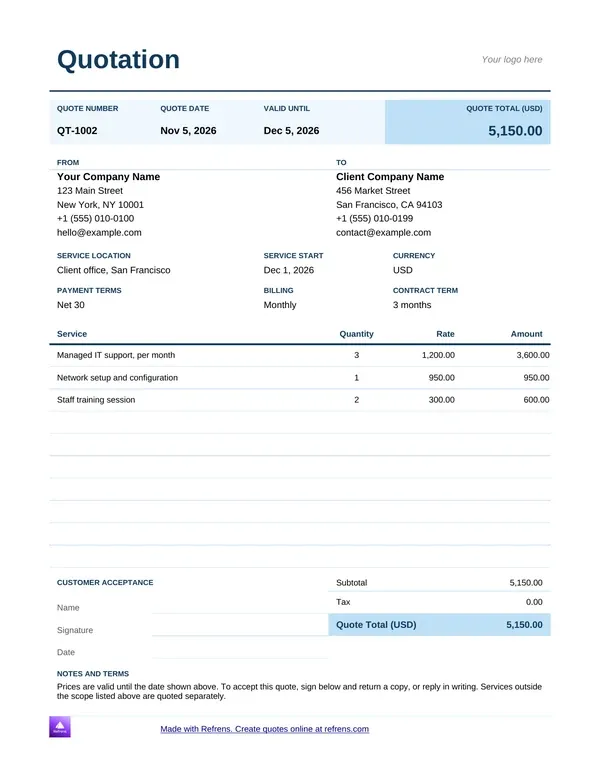
Download Free Quotation Templates in Word and Excel

Pick the quotation template that fits your business, preview it, and download it as an editable Word (.docx) or Excel (.xlsx) file.

Quotation Template in PDF (Add quote details and download it in PDF format.)

1
Quotation Details
2
Design & Share (optional)
1
Quotation Details
2
Design & Share (optional)

Quotation Templates in Google Docs

Download Quotation Templates in Google Docs Format
Create Free Quotation Online
Sample Quote Template - Docs
Sample Quote Template Word
Freelance Quote Template - Docs
Freelance Quote Template Word
Sales Quote Template - Docs
Sales Quote Template Word
Service Quotation Template - Docs
Service Quotation Template Word
Price Quote Template - Docs
Price Quote Template Word
Business Quote Template - Docs
Business Quote Template Word
Construction Quote Template - Docs
Construction Quote Template Word
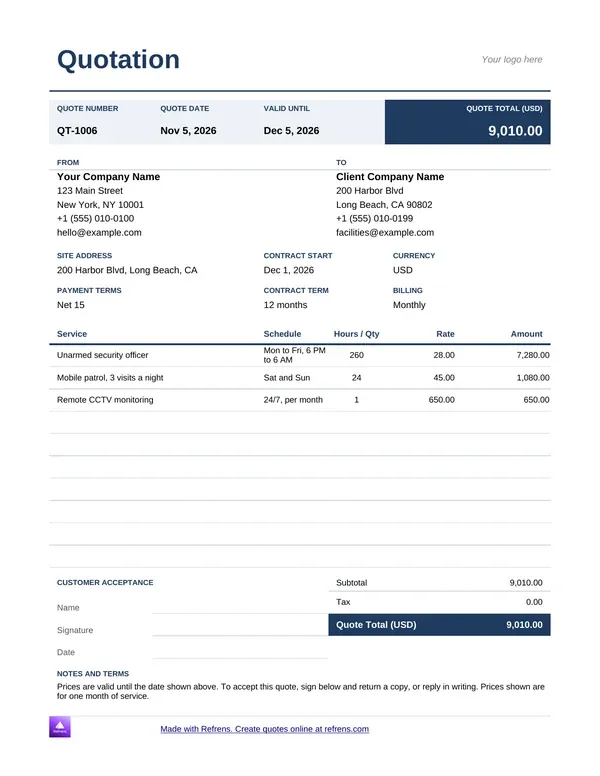
Security Quote Template - Docs
Security Quotation Template Word
Product Quotation Template - Docs
Product Quotation Template Word

Quotation Templates in Google Sheets

Download Quotation Templates in Google Sheets Format
Sample Quote Template - Sheets
sample quote template excel
Simple Quote Template - Sheets
Simple Quote Template - Excel
Business Price Quote Template - Sheets
Business Price Quote Template Excel
Service Quote Template - Sheets
Service Quote Template Excel
Product Quotation Template - Sheets
Product Quotation Template Excel
Construction Quote Template - Sheets
Construction Quote Template Excel
Price Quote Template - Sheets
Price Quote Template Excel
Sheets Quote Template
Excel Quotation Template
Freelance Quote Template - Sheets
Freelance Quote Template Excel
Contractor Quote Template - Sheets
Contractor Quotation Templae in Excel

Free Quotation Template for Saudi Arabia: Word, Excel and Google Docs

  • Word and Excel: download the file and edit it on your computer.
  • Arabic Word and Arabic Excel: download the Arabic file and edit it on your computer.
  • Google Docs and Google Sheets: open the link and make a copy in your Google account.
  • Create online: register, then make your quote in SAR, in Arabic or English. Free for your first 15 documents.

You need a quote out today. A quotation template gets it out in minutes. Pick Word, Excel, Google Docs or Google Sheets, in English or Arabic, fill in your items and send. It works well for the quote. It stops working at the invoice. This page shows when a template is enough and when you need software.

Which Quotation Template Should You Use?

Choose the format that matches the quote you send.

  • Word: a designed, text-heavy quote, such as a service scope or a proposal with terms.
  • Excel: a quote with many lines, where you want the totals to calculate.
  • Google Docs and Google Sheets: a quote you edit with a colleague or from your phone.
  • Arabic Word and Excel: a quote for a buyer who reads Arabic.
  • Create online: a quote that must become an invoice. It uses the same quotation maker as the online quotation maker.

What Is a Quotation Template?

A quotation template is a ready-made document where a seller lists items, prices, taxes and terms for a buyer. The seller sends it before the sale. The buyer accepts, negotiates or declines. A quotation is not a tax invoice.

Quotation template vs quotation format

A quotation template is the file. A quotation format is the layout and content inside it. The template saves you from building the layout. The format decides what the buyer reads.

Quotation Template in Word

A Word quotation template suits quotes where the wording matters more than the math. Think of a service scope, a technical offer or a proposal with terms.

Word does not calculate your VAT unless you build the formula. You type the totals yourself. Check the arithmetic twice before you send.

  • Replace the logo area with your logo.
  • Fill in the items, quantities and prices in SAR.
  • Add your VAT number and the 15% VAT line if you are VAT registered.
  • Set a validity date.
  • Save the file and send it as a PDF, so the buyer cannot edit your prices.

Quotation Template in Excel

An Excel quotation template suits quotes with many line items. Formulas calculate each line, the discount, the VAT and the total, so you do not add numbers by hand.

  • Keep one file per quote and name it with the quote number.
  • Lock the formula cells so nobody overwrites them.
  • Round VAT to two decimals, because ZATCA rounds VAT to the nearest halala.
  • Send a PDF, not the working file.

Quotation Template in Google Docs and Google Sheets

Google Docs and Google Sheets templates suit quotes you edit with a colleague or from your phone. Open the template link. Google asks you to sign in, then makes a copy in your Google Drive. Edit the copy. Download it as a PDF to send.

Your original template stays untouched. Each quote is a new copy.

Arabic Quotation Template (نموذج عرض سعر) in Word and Excel

An Arabic quotation template lets an Arabic-speaking buyer read your offer in their own language. Download the Arabic Word file for a text-heavy quote. Download the Arabic Excel file for a quote with many lines.

Match the language to your buyer. Keep the item names identical across your quote, your order confirmation and your invoice. The tax invoice follows its own rules, covered below.

How to Make a Quotation in Excel

You can build a quotation in Excel in five steps. Use this layout. Put the line items in rows 5 to 7, with the item in column A, quantity in B, unit price in C and the line total in D.

  1. In D5, type =B5*C5. Copy it down to D7.
  2. In D8, type =SUM(D5:D7) for the subtotal.
  3. In D9, type =D8*5% for a 5% discount. In D10, type =D8-D9 for the taxable amount.
  4. In D11, type =ROUND(D10*15%,2) for VAT at 15%. In D12, type =D10+D11 for the total.
  5. Check the total against a calculator. Then save the quote as a PDF.

Your discount and VAT cells follow your own terms. Remove the VAT rows if you are not VAT registered.

Quotation Format for Saudi Arabia: What to Include

A good Saudi quotation format gives the buyer everything needed to say yes. No ZATCA rule lists the contents of a quotation. This list is business practice.

  • Your business name, address and contact details
  • Your commercial registration (CR) number, if you have one
  • Your VAT number, if you are VAT registered
  • The buyer's name, address and contact person
  • A unique quotation number and the issue date
  • A validity date
  • Each item or service with quantity and unit price in SAR
  • Any discount
  • VAT at 15%, if you are VAT registered, and whether your prices include it
  • The total in SAR
  • Payment terms and any deposit
  • Delivery date or start date
  • Your signature or authorized signatory

Use Arabic, English or both to match your buyer. Download the Arabic Word or Excel file when your buyer reads Arabic. A tax invoice needs Arabic. A quote can follow your buyer's preference.

(Insert the sample quotation image here. Alt text: Sample Saudi quotation in SAR with a 15% VAT line, validity date and signature block.)

Sample Quotation With 15% VAT

This example is illustrative. It is not a real customer. Al Noor Office Supplies is a VAT-registered wholesaler in Jeddah. It quotes a Riyadh dental group.

  • Quotation number: Q-2026-014
  • Date: November 20, 2026
  • Valid until: December 4, 2026

The lines:

  • Printer paper cartons: 40 × SAR 85 = SAR 3,400
  • Toner cartridges: 12 × SAR 310 = SAR 3,720
  • Delivery: 1 × SAR 280 = SAR 280

The totals:

  • Subtotal: SAR 7,400
  • Discount at 5%: SAR 370
  • Taxable amount: SAR 7,030
  • VAT at 15%: SAR 1,054.50
  • Total: SAR 8,084.50

Apply the discount first, then calculate VAT on the taxable amount.

Quote with VAT included in the price

Some sellers quote one price that already includes VAT. Say so on the quote. Take a price of SAR 2,300 that includes VAT. Multiply by 15 and divide by 115. VAT is SAR 300. The price before VAT is SAR 2,000.

Quotation Templates by Type

Each type below uses the same basic format. The type changes what you stress.

Price quotation

A price quotation lists items, quantities and unit prices. Use it when the buyer only needs the cost.

Sales quotation

A sales quotation covers goods you sell. Add delivery terms, lead time and stock availability.

Service quotation

A service quotation covers work you perform. State the scope, the fee or hourly rate, the milestones and the payment terms. Agencies, consultants and knowledge service firms use this one.

Professional quotation

A professional quotation is a layout choice, not a legal type. Add your logo, CR and VAT numbers, terms and a signature so the quote looks complete.

Simple quotation

A simple quotation fits one page with a few lines. Use it for small jobs and repeat buyers.

Business quotation

A business quotation goes to a company buyer. Add the buyer's company name, the contact person, the validity date and an authorized signatory.

Contractor and construction quotation

A contractor quotation lists the work by item or phase, with quantities and unit rates. State what the price excludes. Contractors use this format for site work, fit-out and maintenance.

Technical quotation format

A technical quotation describes how you will do the work: the scope, method, team, schedule and compliance. A price quotation states what it costs. In government tenders, the Executive Regulations of the Government Tenders and Procurement Law require separate technical and financial proposals. For private buyers, the split is business practice, not law.

A buyer can confirm acceptance with a purchase order template.

When a Quotation Template Is the Right Choice

A quotation template fits a business that sends few quotes, is not VAT registered, or needs a quick one-off document. Use a template in these situations:

  • You send a few quotes a month. The time to retype is small.
  • You are not VAT registered. You cannot issue a tax invoice, so the quote never turns into one. Registration is mandatory above SAR 375,000 in annual taxable supplies and voluntary above SAR 187,500.
  • You need a quick draft before a meeting or a one-off quote for an unusual job.
  • The buyer asks for a specific layout. Edit the file by hand.
  • You are starting out. A freelancer or consultant with a few clients does not need software yet.
  • You want to learn what a good quote contains. Start with the layout, then move on.

When a Template Stops Being Enough

A quotation template stops being enough when an accepted quote must become a tax invoice and you are VAT registered. These signs tell you it is time:

  • Every accepted quote needs a tax invoice.
  • You send quotes every week and retype accepted ones into another system.
  • You need to know which quotes the buyer opened and which are still open.
  • Several people quote, and numbers and prices drift apart.
  • ZATCA notifies your business to integrate with Fatoora.
  • You need Arabic tax invoices with a QR code and you do not want to build them yourself.

ZATCA announced Wave 25 of Phase 2 e-invoicing on July 24, 2026. Businesses whose VAT-subject revenue exceeded SAR 187,500 in any year from 2022 to 2025 must integrate by February 1, 2027, after ZATCA notifies them.

What Happens When the Buyer Accepts Your Quote

When the buyer accepts a VAT-registered business's quote, you owe a tax invoice. The quote lives in a file. The invoice lives in your invoicing system. You must move the details across. There are three ways it goes:

  • Your system can import the quote. You still import it, map the fields and check the totals.
  • Your system cannot import it. You create the invoice from scratch. You retype the buyer, the items, the prices and the VAT.
  • You made the quote inside the invoicing system. You convert it. No retyping.

Retyping costs time and creates mismatches. A mismatch can be as small as one halala. Take three lines of SAR 10.02 each. Round the VAT on each line and you get SAR 1.50 per line, SAR 4.50 in total. Round the VAT on the whole invoice, SAR 30.06, and you get SAR 4.51. Pick one method and use it on both the quote and the invoice.

A wrong issued invoice needs a credit or debit note. You cannot edit it.

Word and Excel are not the cause. Any quote kept outside your invoicing system causes the same retype.

The quote also starts the delivery. A delivery note template covers the goods you hand over. If you invoice without a quote, use the invoice generator.

Why a Tax Invoice Cannot Come From a Word or Excel File

A VAT-registered business should issue its tax invoices from an electronic invoicing system, not from a Word document. This applies to the invoice. It does not apply to the quote.

  • ZATCA's Tax Invoicing Guideline tells taxpayers to avoid handwritten invoices and invoices made with word processing software. It tells them to use an electronic invoicing system that meets ZATCA's e-invoicing rules.
  • Phase 1 requires a system that protects issued invoices from alteration or deletion, keeps a counter that cannot be reset and archives invoices.
  • Phase 2 adds XML invoices, a cryptographic stamp and a QR code with more data. ZATCA must clear a standard invoice before the buyer gets it. You report a simplified invoice within 24 hours.

ZATCA does not name Excel or Google Sheets. Our reading is that a spreadsheet cannot meet these controls on its own. A template can carry the right fields, the VAT number and Arabic text. The system controls are the gap.

For the full picture, see our ZATCA e-invoicing software.

Make the Quote Online and Convert It to a ZATCA Tax Invoice

Refrens turns an accepted quote into an invoice in one click, so you do not create the invoice from scratch. What you get depends on what you entered when you made the quote.

  • VAT number and details added: Refrens checks them at conversion and creates a ZATCA tax invoice.
  • VAT number or details missing: Refrens creates a regular invoice. A regular invoice is not a tax invoice.

If you are VAT registered, add your VAT number and the buyer's details while you make the quote. The conversion then works the first time.

You also get:

  • Quotes in SAR, in Arabic or English
  • Quotes you can edit when the buyer asks for changes
  • Email and WhatsApp sharing
  • ZATCA e-invoicing Phase 1 and Phase 2 support
  • The quote and the invoice stay linked, so you can trace every sale to its offer

Making a quote online is free for your first 15 documents. When you send quotes every week, move to quotation management software that tracks each quote from offer to payment. If you also want invoicing in the same place, use online invoicing software. Add online accounting software to keep quotes, invoices and books together.

Tax Questions About Quotation Templates in Saudi Arabia

These answers give general information. They are not tax or legal advice. Check your own case with a licensed tax adviser or lawyer.

Can I issue a tax invoice from a Word or Excel quotation template?

No. ZATCA's Tax Invoicing Guideline tells taxpayers to avoid handwritten invoices and invoices made with word processing software. It tells them to use an electronic invoicing system that meets ZATCA's rules. Use the template for the quote. Issue the tax invoice from a compliant system.

Does a quotation template need a QR code or ZATCA approval?

No. A quotation is not a tax invoice, so it needs no ZATCA QR code and no clearance. The tax invoice you issue after the sale does need them.

How do I show 15% VAT on a quotation template?

Show the net price, the VAT at 15% and the total. State whether your prices include VAT. Calculate VAT on the amount after discounts. For a price that includes VAT, multiply by 15 and divide by 115.

Can a business that is not VAT registered use a template with a VAT line?

No. Remove the VAT line and the VAT number. A business that is not registered has no VAT number and may not issue a tax invoice. Registration is mandatory above SAR 375,000 in annual taxable supplies and voluntary above SAR 187,500.

Why does my Excel quote total differ from my invoice by a halala?

The cause is rounding. ZATCA says to round VAT to the nearest halala. A spreadsheet that rounds each line and an invoicing system that rounds the whole invoice can differ by one halala. Use ROUND to two decimals, and use the same method on the quote and the invoice. Ask your accountant which method your VAT return follows.

What happens if I retype an accepted quote into an invoice and get it wrong?

You correct it with a credit or debit note. You issue an invoice once and correct it with a note. Do not edit or delete an issued e-invoice.

When must I issue the tax invoice after the buyer accepts?

Acceptance alone does not start the invoice deadline. Issue a standard tax invoice no later than 15 days after the end of the month of supply. If the buyer pays a deposit first, issue an invoice within 15 days after the end of the month you received it.

Can I withdraw a quotation after I send it?

Yes, before the buyer accepts, unless your quotation states a fixed validity period. Under Article 35 of the Civil Transactions Law, an offer with a fixed period stays open for that period. If you withdraw an offer that has no fixed period, tell the buyer. Otherwise you may owe compensation, excluding lost profit. Ask a lawyer how this applies to your quote.

How long should a quotation stay valid?

Choose a date you can honor. No Saudi source sets a standard period. Under Article 36, an offer with a fixed period ends when the period ends. A quote with no date stays open far longer than you want.

Is a technical quotation different from a price quotation?

Yes. A technical quotation describes scope, method, team and schedule. A price quotation states the cost. Government tenders require separate technical and financial proposals, and the technical one opens first. For private buyers, the split is business practice.

Frequently Asked Questions

Which quotation template should I use, Word, Excel or Google Docs?

Use Word for a text-heavy quote, Excel for a quote with many lines, and Google Docs or Google Sheets to edit with others. Use the Arabic Word or Excel file when your buyer reads Arabic. Use the online quotation maker when the quote must become an invoice.

Are the quotation templates free?

Yes. You can use the quotation templates on this page for free. The online quotation maker is free for your first 15 documents. After that, you pick a paid plan to keep creating.

Can I edit a quotation template after I download it?

Yes. Edit every field in Word, Excel, Google Docs or Google Sheets. Change the items, prices, terms and validity date. Send a PDF to the buyer.

Can I add my logo and signature?

Yes. Replace the logo area with your logo. Add a signature image, or print the quote and sign it by hand.

Can I make a quotation in Arabic?

Yes. Download the Arabic Word or Excel template, or make the quote online. Online quotations support Arabic and English, and you can edit the quote after you make it.

Can I turn my quotation into an invoice?

Yes, in the online quotation maker. Refrens converts an accepted quote into an invoice in one click. If your VAT number and details are in place, it creates a ZATCA tax invoice. Otherwise it creates a regular invoice.

What is the difference between a quotation template and a quotation generator?

A template is a file you fill in and keep. A generator is a tool that builds the quote for you, calculates the totals and keeps a record. A generator can also convert the quote into an invoice.

How do I make a quotation in Excel?

Put your items in rows. Multiply quantity by unit price for each line. Add the lines, apply the discount, then calculate VAT with ROUND(taxable amount*15%,2). The steps above show the formulas.

Start With a Quotation Template. Move to Software When You Need To.

A quotation template is a good first tool. It gets your price to the buyer fast. When quotes become weekly and every accepted quote needs a tax invoice, move to a system that makes the quote and the invoice in one place. See what Refrens Saudi Arabia offers.


Made with and in Bengaluru.

Refrens Internet Pvt. Ltd. | All Rights Reserved
This site is protected by reCAPTCHA and the Google Privacy Policy and Terms of Service apply.
Refrens ISO Certificate